
When a client logs into their wealth management dashboard at 7am to check portfolio performance before a morning meeting, the seconds between clicking and seeing their data shape their perception of the entire institution. User experience in financial services is no longer a nice to have. It is the deciding factor in whether clients stay, recommend, or walk away to a competitor with smoother digital products. Every interaction shapes the end user’s experience, making it crucial for both users and the business to prioritise effective UX design.
This guide covers the essential aspects of user experience basics for regulated platforms, from CRM systems and
デジタル・オンボーディング to portfolio dashboards and client portals. Whether you manage a private bank, asset management firm, or insurance company, understanding how real users interact with your tools will help you reduce friction, meet compliance obligations, and build lasting trust. Improving user experience basics can also increase the amount of time users spend on your digital platforms, resulting in higher engagement and greater trust.
What is User Experience (UX) in Financial Services?
User experience encompasses the total impression clients and staff form when they use a digital product such as an online banking portal or Swiss wealth management dashboard. It covers every moment from the first website visit to ongoing portfolio reviews and compliance checks. Every end user’s interaction with the platform, from navigation to task completion, shapes their overall perception and satisfaction with the service.
In regulated industries, UX is specifically about effectiveness, efficiency, and user satisfaction when completing concrete tasks. These tasks include onboarding, KYC verification, checking portfolio performance, or updating personal details. Adopting a user centric approach is essential in designing financial services platforms, as it ensures that the needs and behaviours of users are prioritised, supporting both regulatory compliance and user satisfaction. A strong ux strategy balances simplicity with strict regulatory requirements around KYC, AML, MiFID II, and data protection laws including GDPR and FINMA expectations.
The business case is clear. Research shows that 88% of users permanently abandon platforms after a glitchy experience, while 72% share positive experiences with more than five people. For 金融機関 where trust is everything, great ux directly supports client retention and referrals.
Example: Good vs Bad UX in Account Opening
ポジティブな経験 | Frustrating Experience |
|---|---|
Clear progress bar showing step 2 of 5 | No indication of how many steps remain |
Prefilled fields from prior inputs | Repeated requests for the same data |
Instant document validation with helpful feedback | Unexplained rejection of valid passport scan |
Confirmation email within seconds | Silence for 48 hours, then a generic PDF |
Positive user experience in a digital onboarding journey
Mapping the customer journey is essential for identifying pain points and optimising each step of the onboarding process.
Consider a private banking client completing digital onboarding on a Swiss-hosted InvestGlass portal. The process takes under 15 minutes from start to finish.
Screen 1: Welcome and 本人確認 The client sees a clean welcome screen with their name prefilled from the initial enquiry. A progress indicator shows step 1 of 5. They upload their passport, and within seconds the system confirms the document is readable. A small tooltip explains why identity verification matters, written in plain British English without jargon.
Screen 2: Personal details and tax residency Fields are logically grouped. The system auto-detects country from the passport and suggests tax residency options. Inline validation highlights any missing information before the client tries to submit.
Screen 3: Suitability questionnaire Risk questions use clear, everyday language. Instead of asking about “volatility tolerance thresholds,” the form asks “How would you feel if your portfolio dropped 15% in one month?” Contextual help icons explain terms like “ultimate beneficial owner” when needed.
Screen 4: 文書署名 and confirmation Electronic signatures work smoothly on both desktop and mobile. An immediate confirmation email arrives, detailing the next steps and providing secure document vault access.
Designing these onboarding flows with reference to user personas ensures the process meets the needs of different client types and supports a seamless customer journey.
This positive user experience reduces calls to support desks by up to 40% and encourages clients to use self service ポートフォリオ用ツール views and suitability updates. Case studies show completion rates rising from 45% to 85% when onboarding flows are designed this way.
Frustrating user experience in a compliance heavy context
Now consider the opposite scenario. A prospective client attempts to open an account with a bank still using legacy processes.
They upload their passport, but the system rejects it without explanation. After three attempts, they discover the file was 100KB over an undisclosed size limit. They start the form again, only to find the session has timed out and nothing was saved.
The risk questionnaire uses acronyms like “UBO” and “ESG” without definitions. Questions are phrased in regulatory language copied directly from MiFID II documentation. The client guesses at answers, unsure what they mean.
After submitting, they receive no confirmation. A week later, an email asks them to resend documents that were already uploaded. The attachment is a static PDF requiring a printer, pen, and scanner.
This type of experience leads to 50-70% abandonment rates and incomplete KYC files requiring manual remediation costing €50-100 per case. In 2024 and 2025, many banks still relied on email chains and static PDFs, which created friction, errors, and security concerns. InvestGlass is specifically built to remove these pain points through progressive disclosure, inline validation, and intelligent document handling.

User centred design for regulated institutions
User centred design treats リレーションシップ・マネージャー, compliance officers, end clients, and back office staff as primary users, each with legitimate needs that shape design decisions. This approach starts from concrete goals rather than technical features.
A relationship manager might need to “approve a new account within 24 hours.” A compliance officer might need to “see all pending KYC reviews on one screen.” An end client might want to “check my portfolio performance without calling my adviser.” Understanding user needs through user research methods like user interviews, anonymised behavioural analytics, and analysis of support tickets helps teams design systems that genuinely work.
InvestGlass refines its workflows based on direct feedback from European private banks and asset managers. This ongoing process has delivered 25-30% time savings in KYC reviews and significantly faster suitability checks. The platform reflects what real users actually do, not what designers assume they might do. Continuous UX efforts are essential to balance efficiency, compliance, and user satisfaction in regulated environments.
Typical user roles in wealth management UX:
- クライアント Seeks intuitive self service for portfolio views, document access, and secure messaging
- Relationship Manager: Needs quick data access during meetings, one-click risk profile views, and efficient call logging
- Compliance Officer: Requires audit trails, batch approval screens, and clear regulatory status indicators
- Back Office: Handles bulk processing, data imports, and exception management
Core components of UX for CRM and client portals
User experience ux in financial software combines classic elements such as usability and visual design with sector-specific aspects like risk visibility, audit trails, and data sovereignty. Each component contributes to how users find information, complete tasks, and perceive the institution behind the interface.
The following subsections break down the key elements that ux designers rely on when building CRM systems, onboarding forms, and portfolio dashboards for regulated environments. All explanations reference real world contexts like MiFID II requirements, FINMA expectations, and ESG reporting needs.
Usability
Usability determines how easily a relationship manager or client can complete core tasks such as logging calls, updating KYC information, or signing documents. A usable system has clear navigation, consistent form layouts, and keyboard-friendly workflows for intensive daily users.
Concrete examples of strong usability include:
- One-click access to a client risk profile directly from the portfolio screen
- A unified timeline showing all interactions, documents, and compliance events in one place
- Inline editing for client details without navigating to separate screens
- Keyboard shortcuts for common actions like saving, searching, and advancing to next record
When a mid-sized Swiss bank migrated from spreadsheets and shared folders to InvestGlass, relationship managers reported cutting task time from 2 hours to 20 minutes for routine client reviews. Usable systems reduce training time by up to 50% for new staff and lower the risk of operational errors that could lead to regulatory breaches. Under GDPR, fines can reach €10M or more, making usability a compliance concern as well as an efficiency one.
Information architecture
Information architecture describes how entities like clients, households, portfolios, documents, and tasks are structured and linked within a system. A clear hierarchy helps staff see relationships between ultimate 受益者, accounts, and mandates without hunting through disconnected screens.
In an InvestGlass workspace, the structure might look like this in words:
Client record (top level)
- Tab: KYC documents (passport scans, proof of address, source of wealth)
- Tab: Portfolio (holdings, ESG scores, performance charts)
- Tab: Documents (agreements, correspondence, signed forms)
- Tab: Communications (call logs, emails, meeting notes)
- Tab: Risks (MiFID questionnaire responses, risk profile, suitability status)
This logical IA supports both daily work and regulatory audits. When a compliance team needs to export all KYC documentation for a specific client segment, they can do so quickly rather than searching across multiple systems. Studies show that well-organised information architecture cuts search times by 60% in wealth management CRMs.
Interaction design
Interaction design governs how the system responds when users filter portfolios, approve workflows, or sign electronic documents. Good interaction design minimises clicks for relationship managers who execute hundreds of actions per day. UI design plays a critical role in ensuring that visual elements and interactions are consistent and visually appealing, enhancing usability and reinforcing brand identity.
A typical day for a relationship manager using InvestGlass might include:
- 8:30am: Log a client call. The system auto-timestamps and adds the entry to the client timeline without extra steps.
- 9:15am: Update KYC details. Inline validation immediately flags incomplete fields with clear messages.
- 10:00am: Review pending approvals. A batch screen shows all items requiring action with smart defaults applied.
- 2:30pm: Sign documents with a client. Touch-friendly signature capture works smoothly on an iPad during the meeting.
- 4:00pm: Run a portfolio filter. Real-time charts update as currencies and date ranges are adjusted.
Micro-interactions matter too. Loading spinners for large portfolio calculations reassure users that something is happening. Instant AML screening feedback badges show green, amber, or red status without requiring a separate check. These details reduce cognitive load and prevent users struggle with uncertain system states.
Visual design and trust cues
Visual elements influence perceptions of stability and trust in regulated sectors. Typography, colour, and spacing all contribute to whether clients feel confident or anxious when using a platform.
Effective visual design for private banking typically includes:
- Calm, restrained palettes (navy blues, soft grays, muted greens)
- Sans-serif typography at 14-16pt for readability
- Strategic white space that prevents screens feeling crowded
- Clear status badges showing KYC completeness or risk levels
Before and after example:
A cluttered dashboard showing 12 KPIs in a dense grid, multiple alert banners, and competing calls to action was redesigned into a prioritised layout. The new design shows the three most important KPIs as summary cards, with expanders for additional detail. Alert banners were replaced with a single notification icon showing a count. Users reported feeling “calmer” and found key information 40% faster.
InvestGlass allows white labelling so banks can align the user interface with their brand while still following good ux principles. Research indicates that 80% of users associate clean visual design with institutional trustworthiness.
Data sovereignty as part of the experience
Since 2020, European clients increasingly ask where their data is stored and under which jurisdiction. This awareness means that data sovereignty is now perceived as part of user experience, not just a technical backend concern.
InvestGlass offers Swiss hosting and on-premise deployment, which can be communicated clearly in onboarding flows and client portals. Sample messaging might include:
- “Your data is hosted exclusively in Switzerland under Swiss law.”
- “We do not store information in American or Chinese cloud infrastructure.”
- “You retain full sovereignty over your personal and financial data at all times.”
Benefits of transparent sovereignty messaging:
- Higher trust among high net worth individuals and family offices
- Stronger positioning for public sector organisations with strict data rules
- Differentiation from competitors using hyperscale cloud providers
- Alignment with FINMA expectations and European data protection standards

UX design process for CRM, onboarding and portfolio tools
The ux design process for financial institutions maps roughly to discover, design, validate, implement, and refine. Unlike consumer apps where rapid iteration is common, this process must respect internal approval cycles, IT constraints, and compliance review requirements. It is important to treat the ux process as an ongoing cycle that continues after launch, with continuous testing and iteration to ensure ongoing improvements to user experience.
From 2022 to 2026, many organisations shifted from multi-year waterfall projects to more iterative releases for client portals. InvestGlass supports this with configurable modules, so design teams can improve UX in stages rather than waiting for full system rebuilds.
Discovery and research
Discovery begins with gathering feedback from the people who actually use your systems. Stakeholder interviews with relationship managers, compliance officers, IT staff, and marketing teams reveal real pain points that analytics alone might miss.
Practical research methods:
- Analyse 2025 support tickets and call centre logs to identify recurring UX issues in onboarding or reporting
- Review user flows through anonymised analytics to see where users drop out of digital forms
- Conduct contextual inquiry by observing users completing tasks in their actual work environment
- Examine a KYC form last updated in 2018 and list every field that confuses current staff
Regulatory constraints apply to research too. Recording sessions and storing user data must comply with GDPR and Swiss data protection law. Anonymisation and clear consent processes are essential.
Design and prototyping
Once pain points are clear, ux designers start creating low-fidelity sketches of new account opening flows or portfolio dashboards before building them in the live platform.
Steps for a two-week design sprint:
- Days 1-2: Review research findings and define three priority user stories to address
- Days 3-5: Sketch wireframes for each user story, testing designs with paper or simple clickable prototypes
- Days 6-8: Refine prototypes based on initial feedback from two or three internal users
- Days 9-10: Align design decisions with existing brand guidelines and risk disclosures from legal teams
- Days 11-14: Create higher-fidelity mockups using component-based design for consistency across CRM, portal, and email templates
Testing whether advisers can find suitability documentation in under 30 seconds provides quantitative data on whether the design ideas actually work.
Validation with users and compliance
In regulated environments, prototypes must be reviewed by both end users and risk or compliance officers. This dual validation ensures that improvements to the end user’s experience do not create regulatory gaps.
Example validation session:
A small group of London-based wealth managers in 2026 tests a new suitability questionnaire on tablets. Observers track task completion time, error rate, and user confidence scores. Participants are asked to think aloud as they complete the user journey.
Compliance validates that disclosures, consent wording, and archival meet local regulations. A simple test plan template might include:
タスク | Success criteria | Metrics |
|---|---|---|
Complete risk questionnaire | Under 4 minutes, no errors | Time, error count |
Locate signed agreement | Found within 30 seconds | Time to locate |
Understand data hosting message | Can explain in own words | Qualitative response |
Implementation and continuous improvement
Agreed UX changes are configured in InvestGlass via workflows, fields, and automated checks rather than heavy custom code. This approach reduces implementation time and makes ongoing process adjustments practical.
Change management matters as much as technical deployment. Training sessions, quick reference guides, and in-app tips help frontline staff adopt new interfaces confidently. Tracking post-launch KPIs shows whether changes deliver expected benefits.
Example: Iterative KYC simplification
A European private bank simplified its KYC flow over three releases:
- Release 1: Reduced form fields from 47 to 32 by removing duplicates and obsolete requirements
- Release 2: Added progressive disclosure so advanced fields only appear when relevant
- Release 3: Introduced real user feedback prompts that identified two remaining confusing questions
Completion rates rose from 62% to 89% across the three releases, demonstrating the value of an ongoing process rather than a single redesign.
Common UX pitfalls in financial software and their cost
Legacy banking systems often contain pitfalls that frustrate users and create operational risk. Overloaded screens, unclear error messages, and scattered documents are symptoms of systems designed without user testing or gathering feedback from frontline staff.
The costs are measurable. Dropped applications in online mortgage flows, repeated KYC reminders that annoy clients, and compliance overrides that require manual review all consume resources and damage relationships. These usability issues are solvable through configuration and user centred design, not necessarily full system replacement.
Overcomplicated forms and jargon
Forms that mix internal codes, product names, and regulatory acronyms without explanation confuse both end clients and relationship managers. In multilingual contexts across Europe, the problem compounds.
以前はね: “Please confirm your UBO status regarding the relevant CRS/FATCA classifications applicable to your tax residency jurisdiction(s).”
その後だ: “Are you the ultimate owner of this account, or are you acting on behalf of someone else? Select the option that applies to you.”
Solutions include:
- Progressive disclosure that reveals complex fields only when needed
- Contextual help icons that explain terms on hover or tap
- Plain language labels that map to internal codes behind the scenes
- Conducting usability tests with real users before launching new forms
Poor mobile and tablet experience for advisers
Many relationship managers now expect to work on iPads during client meetings. In 2024 and 2025, this became standard practice for many advisory firms. However, many systems were never designed for touch screens.
Common pitfalls:
- Tables that do not resize, forcing horizontal scrolling
- Signature fields that fail on touch screens
- Dashboards that hide key KPIs on smaller displays
- Buttons too small for finger taps
InvestGlass provides responsive design and mobile-optimised flows that support in-person meetings and remote advisory. Better mobile UX shortens meeting preparation time and allows instant updates to client records after visits.
Layout guidance for mobile:
- Prioritise summary cards over complex grids
- Use collapsible sections for secondary information
- Ensure touch targets are at least 44px square
- Test on actual devices, not just browser simulations
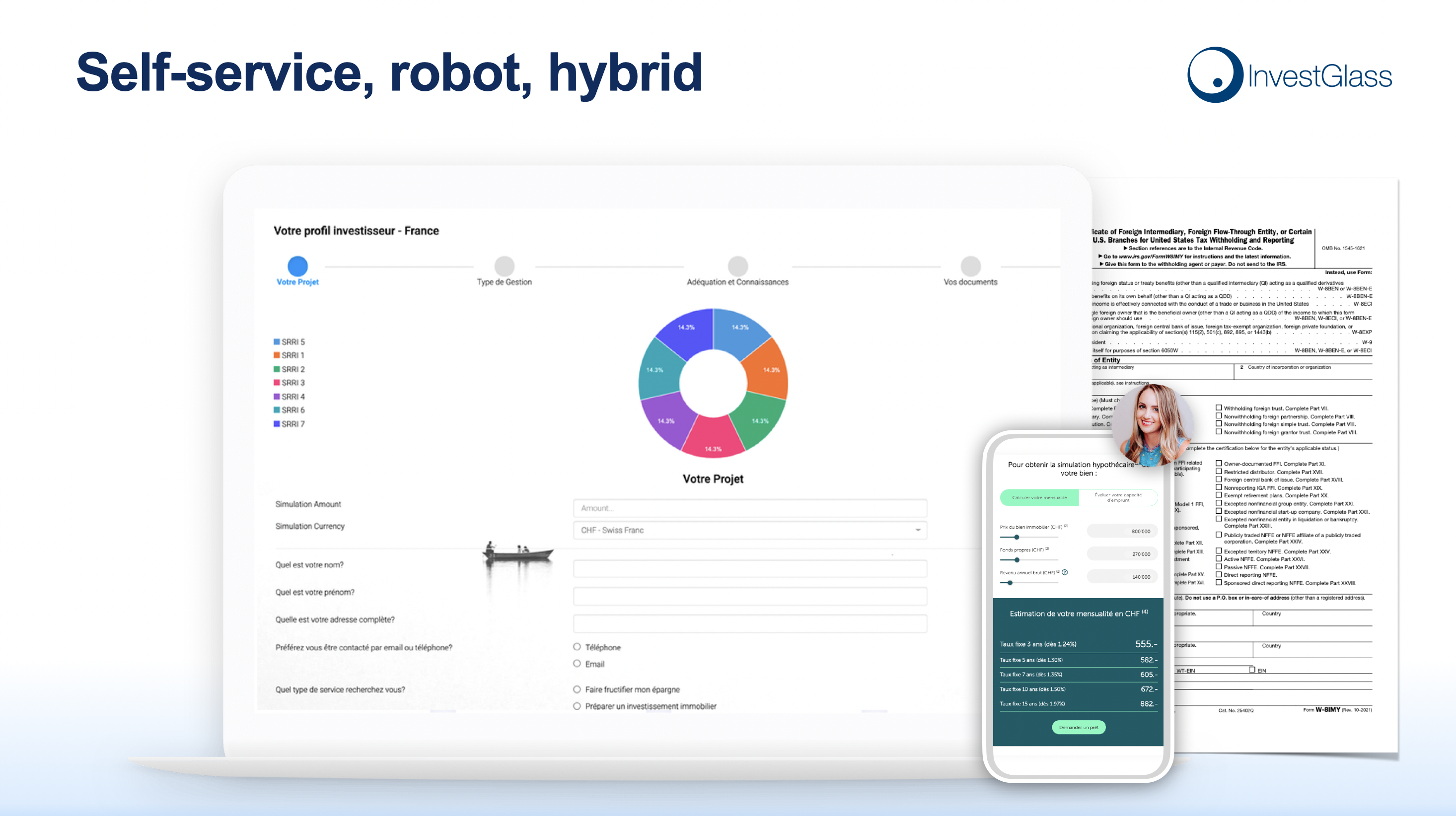
Fragmented client journeys across systems
Using separate tools for CRM, onboarding, portfolio reporting, and document sharing creates disjointed experiences. Clients need separate logins for different portals. Advisers retype data into multiple systems. Support costs rise as staff troubleshoot integration failures.
Example unified journey:
Data captured during onboarding, such as tax residency and risk profile responses, instantly appears in portfolio reports and compliance checks. The client logs into a single portal to see documents, performance, and messages. The relationship manager sees the same information in their CRM timeline.
An integrated platform like InvestGlass aligns the customer experience across onboarding forms, CRM timelines, and client portal dashboards. Centralising everything under one 君主 platform reduces operational risk and creates a consistent positive experience at every touchpoint.
Why mastering UX basics matters for banks and wealth managers
Better UX leads to measurable benefits. Higher conversion on account openings, lower support costs, improved regulatory readiness, and stronger client retention all follow from systematic attention to how users interact with digital products.
Industry surveys from 2023 and 2024 confirm the link between digital satisfaction and assets under management. Institutions with strong digital experiences attract younger affluent clients who expect mobile apps and self-service options. Cross-border investors increasingly choose providers that respect local rules while offering smooth digital journeys.
Strong UX on top of Swiss sovereign infrastructure is a competitive advantage for European institutions that prefer not to rely on American or Chinese providers. When target audience expectations include both usability and data protection, meeting both creates differentiation that generic platforms cannot match.
Key business outcomes to emphasise:
- Onboarding completion rates above 85%
- Support call volume reduced by 30-40%
- Audit preparation time cut by 50% through logical information architecture
- Client Net Promoter Scores improved by addressing pain points identified through user feedback
- Loyal customers who refer others based on positive emotional response to digital tools
Trust, loyalty and data sovereignty
Clients, especially in private banking, increasingly ask where their data is stored and under which jurisdiction. Since 2020, this concern has moved from technical specialists to mainstream client conversations. A deep understanding of this shift helps institutions position themselves appropriately.
Combining clear, calm UX with transparent Swiss hosting information builds long-term trust. When clients understand that their data remains under Swiss or local jurisdiction rather than American or Chinese hyperscale clouds, they feel more secure. This transparency supports a positive emotional response that extends beyond any single feature.
InvestGlass gives institutions control over infrastructure, supporting on-premise deployments when required by national rules. European regulators, including FINMA, emphasise client-centricity and data protection. Meeting these expectations through both user friendly interfaces and sovereign infrastructure demonstrates genuine commitment to client interests.
Sovereignty and user experience are now intertwined concerns, not separate topics. Institutions that treat ux as merely cosmetic and sovereignty as merely technical miss the opportunity to create products that genuinely serve user needs.
Applying UX basics with InvestGlass as a sovereign platform
InvestGlass provides a practical way to implement ux principles across CRM, onboarding, portfolio management, marketing automation, and client portals. The platform is built specifically for regulated institutions, with workflows that reflect actual compliance requirements rather than generic sales processes.
This contrasts with using generic American or Chinese CRM suites where data residency and sector-specific workflows may be harder to control. Non-technical teams can configure forms, workflows, and dashboards in InvestGlass to match their ux research findings without waiting for developer resources. Business goals around client satisfaction, compliance efficiency, and operational cost reduction are directly supported by the platform architecture.
Starting with a focused UX improvement project delivers results quickly. For example, optimising digital onboarding for a specific client segment in 2026, then measuring completion rates and support tickets, provides evidence to expand the approach across other user journeys.
Concrete next steps:
- Book a demo to see how InvestGlass handles onboarding, CRM, and portfolio management in one integrated environment
- Map one high-priority client journey end to end, noting current pain points and user flows
- Run a UX review workshop with relationship managers, compliance officers, and IT to identify quick wins
- Define behavioural metrics you will track before and after changes
- Review data sovereignty requirements and confirm that Swiss hosting or on-premise deployment meets your needs
Mastering user experience basics is not optional for regulated institutions competing in 2026. The combination of intuitive UX, clear information architecture, and Swiss data sovereignty creates effective solutions for both clients and staff. The organisations that treat ux as a strategic priority, not an afterthought, will build the trust and efficiency needed to thrive in a demanding regulatory environment.
UX Design Tools and Resources
UX designers rely on a variety of tools and resources to create user-friendly digital products that meet the needs of their target audience. Leading platforms such as Figma, Sketch, Adobe XD, and InVision are widely used for user interface design, enabling teams to develop wireframes, interactive prototypes, and high-fidelity mockups. These tools support collaboration across design teams, allowing stakeholders to review and comment on user interface elements in real time.
Beyond design software, a wealth of resources is available to help UX designers stay current with best practices in user research, usability testing, and interaction design. Online platforms like the Interaction Design Foundation offer comprehensive courses covering topics from information architecture to conducting usability tests. Blogs, podcasts, and webinars provide ongoing insights into the latest trends in ux design and digital products.
By leveraging these tools and resources, UX designers can efficiently gather user feedback, iterate on design ideas, and ensure that every aspect of the user interface is optimised for both usability and compliance. This commitment to continuous learning and improvement is essential for creating digital products that deliver a positive user experience and provide a competitive advantage in the financial services sector.
UX Design Career Path
A career in UX design offers a dynamic and rewarding journey, with opportunities to specialise and advance as skills develop. Many ux designers start their careers with a foundation in design principles, human-computer interaction, or user centred design, often gained through formal education or self-directed learning. Entry-level roles typically involve supporting user research, assisting with visual design, and contributing to interaction design projects.
As designers gain experience, they may choose to specialise in areas such as user research, information architecture, or visual design, or progress into senior roles leading design teams. Collaboration is a key part of the ux design process, with experienced designers often mentoring junior colleagues and shaping the overall design strategy for digital products.
The demand for skilled ux designers continues to grow, particularly in regulated industries where user centred design and compliance are critical. Those who build strong portfolios, stay engaged with the latest developments, and demonstrate a deep understanding of user needs are well positioned to advance into leadership roles or establish their own consultancies. The field rewards curiosity, adaptability, and a commitment to creating user friendly solutions that enhance the end user’s experience.
UX Design Community
The UX design community is a thriving network of professionals dedicated to advancing the craft of creating user friendly digital products. Designers, researchers, and industry experts connect through online forums, social media groups, and dedicated platforms such as the UX Design subreddit, UX Collective, and Design Systems Slack. These communities offer a space to share knowledge, seek advice, and showcase work, fostering a culture of collaboration and continuous improvement.
Participation in the UX design community provides access to a wealth of resources, including case studies, design critiques, and discussions on emerging trends in ux design. Regular conferences, workshops, and local meetups offer opportunities to learn from industry leaders, exchange ideas, and build professional networks.
Engaging with the community helps designers stay informed about best practices and new developments, ensuring that the digital products they create remain user friendly and effective. For those working in regulated sectors, these connections can also provide valuable insights into sector-specific challenges and solutions.
Future of UX Design
The future of UX design is shaped by rapid technological advancements and evolving user expectations. As artificial intelligence, virtual and augmented reality, and the Internet of Things become more integrated into daily life, ux designers will need to adapt their approaches to create seamless experiences across a growing array of digital products and platforms.
There is an increasing focus on accessibility, sustainability, and social responsibility within ux design. Designers are expected to consider the broader impact of their work, ensuring that digital products are inclusive and environmentally conscious. This shift requires ongoing learning and a willingness to embrace new methodologies and tools.
UX designers who stay ahead of these trends by continually updating their skills and understanding how users interact with emerging technologies will be well positioned to deliver innovative solutions. By prioritising user needs and maintaining a commitment to user centred design, the next generation of digital products will not only be efficient and effective but also meaningful and delightful for users.
結論
In summary, UX design is fundamental to the success of digital products in regulated financial environments. By applying principles such as user centred design, thorough user research, and rigorous usability testing, organisations can create products that are intuitive, efficient, and enjoyable for users. The ux design process, from initial research through to prototyping and testing, demands a deep understanding of information architecture, visual design, and the specific needs of the target audience.
As the field continues to evolve, it is essential for ux designers and design teams to stay informed about the latest trends and best practices, ensuring that their work remains relevant and impactful. Prioritising user friendly, accessible, and sustainable solutions not only drives business success and competitive advantage but also enhances the overall customer experience.
Ultimately, the goal of UX design is to create digital products that are not only effective and efficient but also deliver a positive and meaningful experience for users. By embracing a user centred approach and committing to continuous improvement, organisations can build trust, foster loyalty, and thrive in an increasingly competitive digital landscape.


