
Organisaties staan in 2026 voor een vertrouwde uitdaging: medewerkers verspreid over kantoren, thuiskantoren en buitendienstlocaties, die allemaal door e-mails, chatthreads en losse mappen zoeken naar de informatie die ze nodig hebben. Een intranetwebportaal lost dit op door iedereen één enkele, veilige plek te bieden om te vinden bedrijf nieuws, documenten, hulpmiddelen en elkaar.
Deze gids behandelt wat een intranet-webportaal daadwerkelijk is, waarom bedrijfsintranetten belangrijk zijn voor moderne organisaties, en hoe u er een plant, ontwerpt en lanceert die werknemers daadwerkelijk zullen gebruiken.
Wat is een intranet-webportaal?
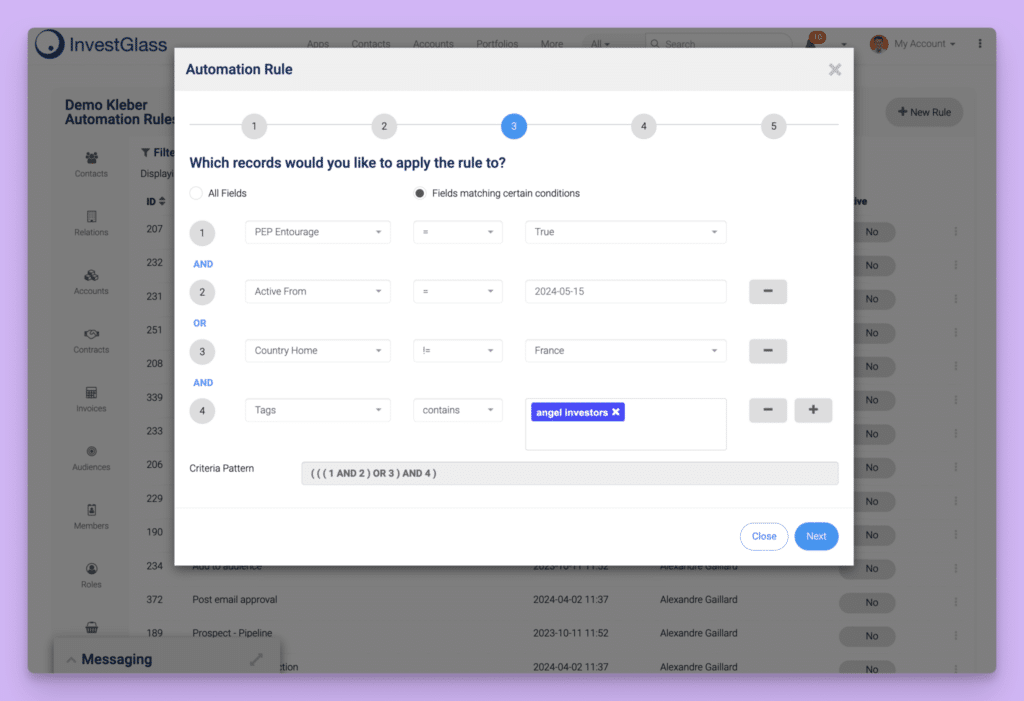
Een intranetweb portaal is beveiligd, een interne website die dient als de digitale voordeur van uw organisatie. Dit is de plek waar medewerkers naartoe gaan voor toegang tot nieuwsfeeds, HR-documenten, bedrijfsapplicaties, samenwerkingsruimten en alledaagse hulpmiddelen, allemaal vanuit één gecentraliseerd platform.
In tegenstelling tot openbare websites werkt een intranetportaal op een privénetwerk en is het alleen toegankelijk voor geautoriseerde medewerkers. Toegang vereist meestal authenticatie via single sign-on (SSO)-providers zoals Azure AD, Okta of Google Workspace, soms gecombineerd met VPN-verbindingen voor thuiswerkers. Het portaal zelf draait op standaard webtechnologieën, HTTPS-versleuteling en een responsief ontwerp dat werkt in Chrome, Edge of Safari, waardoor het vanaf elk apparaat toegankelijk is zonder gespecialiseerde software.
De terminologie verduidelijken
Je zult in dit vakgebied verschillende elkaar overlappende termen tegenkomen:
Term | Algemene betekenis |
|---|---|
Intranet | intern netwerk of website voor medewerkers |
Webportaal | Gateway die inhoud en hulpmiddelen samenbrengt |
Medewerkersportaal | Vaak gericht op HR-selfservicefuncties |
Bedrijfsportaal | Breder bereik met inbegrip van bedrijfstoepassingen |
digitale werkplek | Het volledige ecosysteem van interne digitale hulpmiddelen |
In de praktijk beschrijven deze termen variaties van hetzelfde concept. Of je het nu een bedrijfskranet, een medewerkersbelevenisplatform of een intranetplatform noemt, je hebt het over een centrale hub waar medewerkers vinden wat ze nodig hebben zonder door meerdere systemen te hoeven zoeken. |
Hoe een typische intranetstartpagina eruitziet
Een goed ontworpen portaalstartpagina bevat over het algemeen:
- Bedrijfsnieuwsbanner het weergeven van leiderschapsaankondigingen, beleidswijzigingen en organisatorische veranderingen
- Algemene zoekbalk die gelijktijdig door documenten, personenmappen en kennisbanken zoekt
- Snelle links naar kernsystemen zoals salarisadministratie, inschrijving voor secundaire arbeidsvoorwaarden, tijdregistratie en kosten-batenanalyses
- Gepersonaliseerde dashboards aankomende en in afwachting zijnde evenementen tonen goedkeuringen, of team-specifieke inhoud
- Erkenning van medewerkers widgets die waardering door collega's en recente prestaties belichten
Veelvoorkomende platformen en gebruiksscenario's
Moderne intranetportals draaien op verschillende technologieën; SharePoint Online blijft populair binnen Microsoft-omgevingen, terwijl open-sourceoplossingen en SaaS Intranet suites bieden alternatieven. Sommige organisaties bouwen maatwerk portalsouftware op frameworks die zijn afgestemd op hun specifieke behoeften.
Typische gebruiksscenario's zijn onder meer:
- Het inwerken van nieuwe medewerkers met begeleide checklists, trainingsmaterialen en taken voor de eerste week
- Het verspreiden van beleidswijzigingen met bevestigingsregistratie om naleving te waarborgen
- Toegang centraliseren naar alledaagse apps zoals IT-ticketing, CRM oplossingen zoals InvestGlass CRM voor financiële dienstverleners, en projectmanagementtools
- Publiceren van leiderschapscommunicatie via nieuwsartikelen, videoboodschappen en opnames van bijeenkomsten
Waarom intranet-webportals belangrijk zijn voor moderne organisaties
De werkplek van 2026 lijkt in niets meer op die van tien jaar geleden. Hybride werkafspraken zijn de norm, teams omspannen meerdere tijdzones en de informatiestroom heeft overweldigende niveaus bereikt. Werknemers besteden een aanzienlijk deel van hun dag aan het simpelweg zoeken naar het juiste document of het achterhalen welke versie van een beleidsregel actueel is.
Één enkele bron van waarheid
Een intranetwebportaal pakt deze uitdagingen aan door te fungeren als de autoritaire centrale opslagplaats voor bedrijfsinformatie. In plaats van beleid dat verspreid is over e-bijlagen, gedeelde schijven en chatthreads, bevindt alles zich op één doorzoekbare locatie. Wanneer HR het reisbeleid voor 2026 bijwerkt, is er één versie, de actuele, en weet iedereen waar deze te vinden is.
Dit neemt de verwarring weg over verouderde documenten die via e-mail rondgaan en verkleint het risico dat medewerkers achterhaalde procedures volgen.
Productiviteit en verbeterde efficiëntie
Organisaties met effectieve intranetportals rapporteren meetbare productiviteitswinsten:
- Snellere toegang tot SOP's betekent minder tijd besteden aan zoeken, meer tijd om te werken
- HR-zelfbedieningsfuncties verminder repetitieve vragen aan hr-teams
- Geïntegreerd zoeken geeft antwoorden zonder dat je vijf verschillende applicaties hoeft te openen
- Beheer van documenten met versiebeheer wordt dubbel werk voorkomen
Uit onderzoek blijkt dat gepersonaliseerde portalen een acceptatiegraad van meer dan 80% behalen, tegenover minder dan 50% voor statische, traditionele intranetten. Die acceptatie vertaalt zich direct in tijdwinst.
Interne communicatie en cultuur
Naast documentopslag transformeren intranetportals de interne communicatie. Ze bieden communicatiekanalen voor:
- Gerichte nieuwsberichten op basis van locatie, afdeling of rol
- Crisiscommunicatie die iedereen snel bereikt
- Leiderschapsboodschappen en strategische updates
- Opnames van gemeenteavonden voor asynchroon bekijken
De functies van het sociale intranet, medewerkersin de spotlight, erkenningsprogramma's, interne communities, ondersteunen het delen van kennis en bouwen aan de bedrijfscultuur, zelfs wanneer teams elkaar zelden in persoon ontmoeten. Feedbackmechanismen zoals pulsenquêtes en opmerkingensecties zorgen voor tweerichtingscommunicatie in plaats van alleen top-downcommunicatie.
Naleving en risicovermindering
Met gelogde bevestigingen voor beleidsdocumenten, audit trails voor toegang tot gevoelige inhoud en AVG-conforme gegevensverwerking helpen portals organisaties bij het beheren van nalevingsvereisten. Iedereen gebruikt het huidige beleid voor 2025/2026 omdat verouderde versies simpelweg niet beschikbaar zijn.
Kernfuncties van een modern intranetwebportaal
Moderne intranets zijn ver geëvolueerd buiten statische bestandopslagplaatsen. Een modern intranetportaal is een interactief platform dat toegankelijk is op desktop-, tablet- en mobiele apparaten, ontworpen voor dagelijks gebruik in plaats van af en toe referentie.
Functionaliteiten voor contentbeheer
Effectieve portals omvatten robuuste contentmanagementsfuncties:
- Nieuws publicatie met planning voor campagnes en aankondigingen
- Paginasjablonen het waarborgen van consistente layouts over afdelingen heen
- Versiebeheer wijzigingen bijhouden en terugdraaien inschakelen
- Goedkeuringsworkflows content via reviewers leiden voor publicatie
- Meertalige ondersteuning voor wereldwijde organisaties
Dankzij deze functionaliteiten kunnen content-eigenaren, en niet alleen IT, actuele en nauwkeurige informatie onderhouden.
Samenwerking en kennisdeling
Verder dan alleen een intranet voor statische documenten, stellen samenwerkingsruimten teams in staat om samen te werken:
- Teamsites voor afdelingen en projectgroepen
- Discussiethreads met opmerkingen en @vermeldingen
- Integratie met chattools voor instant messaging naast inhoud
- Functionaliteit voor gezamenlijk bewerken naar bestanden delen en tegelijkertijd werken
- Functies voor sociaal netwerken die werknemers over verschillende locaties met elkaar verbinden
Personalisatie en targeting
Niet iedereen heeft dezelfde informatie nodig. Belangrijke functies voor personalisatie zijn onder andere:
- Op rollen gebaseerde inhoud relevante beleidsregels en tools weergeven per functiegroep
- Locatietargeting HR-updates specifiek voor het VK leveren aan EMEA-werknemers
- Gepersonaliseerde dashboards weergave van individuele taken, goedkeuringen en waarschuwingen
- Aangepaste weergaven gebruikers hun ervaring laten instellen
Werknemerszelfbediening
Selfserviceportals verlagen de ondersteuningslast drastisch. Wanneer medewerkers routineklusjes zelf kunnen afhandelen, kunnen HR- en IT-teams zich richten op waardevoller werk:
- HR-veelgestelde vragen en beleidszoekopdrachten
- Verlofaanvragen en saldo-overzichten
- IT-handleidingen en probleemoplossing
- Formulieren voor apparatuuraanvragen, toegangsverlening en goedkeuringen
Organisaties melden een afname van 40-60% supporttickets na de implementatie van uitgebreide zelfbedieningsfuncties.
Analyses en continue verbetering
Ingebouwde analysefuncties houden bij wat werkt:
- Paginaweergaven en betrokkenheidsstatistieken
- Zoektermen die onthullen waar werknemers moeite mee hebben te vinden
- Contenthiaaten geïdentificeerd via mislukte zoekopdrachten
- Gebruikspatronen die richting geven aan aanpassingen in de contentstrategie
Beveiliging en toegangscontrole
Robust security is non-negotiable for intranet web portals handling internal and sometimes confidential data. Your portal needs protection at multiple levels.
Authenticatie verifies user identity through:
- SSO integration with identity providers (Azure AD, Okta, Google Workspace)
- Multi-factor authentication (MFA) for additional verification
- Conditional access policies based on device, location, or risk level
Authorization controls what authenticated users can access:
- Role based access ensuring employees see only appropriate content
- Group-based permissions (Finance, HR, regional teams)
- Least-privilege principles limiting access to what’s necessary
Technical safeguards beschermen the infrastructure:
- HTTPS/TLS encryption for all traffic
- Regular security patching and vulnerability management
- Automated backups with defined recovery time objectives
For regulated industries, compliance features matter: data residency controls, comprehensive audit logs, and alignment with frameworks like GDPR, SOC 2, or ISO 27001.
Het ontwerpen van een effectieve intranetwebportaalervaring
A portal fails if employees can’t find what they need within seconds. User experience and information architecture determine whether your investment pays off or becomes shelfware.
Navigatie die aansluit bij hoe mensen denken
Organize content around tasks and employee needs, not just organizational hierarchy:
Benadering | Voorbeeld |
|---|---|
Task-based | “Submit time off,” “File expense report,” “Find a colleague” |
Audience-based | “New employees,” “Managers,” “Field staff” |
Topic-based | “Benefits,” “IT support,” “Company policies” |
Avoid deep hierarchies requiring multiple clicks. The best portals surface common tasks within two clicks from the homepage. |
Consistent visueel ontwerp
Your intranet should feel familiar, brand colors, typography, and iconography consistent with your external presence, while remaining focused on internal tasks. Visual consistency builds trust and reduces cognitive load.
Ontwerpprincipes voor de homepage
An effective homepage includes:
- Hero banner featuring top news or urgent announcements
- Prominent search bar with suggestions and advanced search filters
- Quick links grid providing easy access to frequently used tools
- Dynamic widgets for events, alerts, peer recognition, and personalized content
Mobile-first design
With 60% of intranet sessions now occurring on smartphones and tablets, mobile-friendly layouts are essential. Frontline workers and field staff often access portals exclusively through a mobile app or browser on their phones. Dedicated mobile apps or responsive web design ensures these employees stay connected.
Toegankelijkheidseisen
Design for everyone, including the 15-20% of employees who may have disabilities:
- Keyboard navigation for all functions
- Proper heading hierarchy for screen readers
- Alt text for images
- Color contrast meeting WCAG 2.1 AA standards (4.5:1 ratio)
Het plannen en implementeren van een intranet webportaal (stap voor stap)
Successful implementation is a business change project, not just an IT deployment. Plan for a phased approach spanning 3-6 months, with ongoing refinement afterward.
Stap 1: Definieer doelstellingen
Start with concrete, measurable goals:
- Reduce company-wide emails by 30% by Q4 2026
- Cut new hire onboarding time by 20%
- Achieve 70% weekly active users within 6 months
- Decrease HR support tickets by 40%
Clear objectives guide design decisions and provide benchmarks for measuring success. Industry benchmarks suggest $3-5 return for every $1 invested in effective intranets.
Stap 2: Begrijp gebruikers
Before selecting technology, understand who will use the portal and how. Conduct surveys and gather feedback through:
- Departmental interviews with HR, IT, Werkzaamheden, and frontline teams
- Focus groups exploring pain points and wish lists
- User personas representing different employee types
- Analysis of current tools and their limitations
Empowering employees to shape the solution increases adoption.
Stap 3: Kies technologie
Evaluate whether to build custom or buy existing intranet portal software:
Factor | Bouw | Buy (SaaS) |
|---|---|---|
Aanpassing | Onbeperkt | Configurable within limits |
Tijd om te lanceren | 6-12+ months | 1-3 months |
Maintenance burden | Internal team | Vendor managed |
Cost structure | High upfront, lower ongoing | Op abonnementsbasis |
Assess integration requirements with identity systems, hr systems, and productivity tools already in use. A fully integrated solution reduces friction and increases adoption. |
Stap 4: Ontwerp informatiearchitectuur en contentplan
Inventory existing content across your organization:
- What documents exist and where do they live?
- What’s outdated and should be retired? (Often 40-50% of content)
- Who owns each content area?
- What governance rules apply?
Plan migration carefully, assigning clear ownership for each section.
Stap 5: Testen en herhalen
Launch with 2-3 departments to test navigation, performance, and content accuracy. Aim for 90% satisfaction with findability before expanding. Conduct surveys to gather feedback and refine the experience based on real usage patterns.

Zorgen voor acceptatie, training en governance
Launching is just the beginning. Adoption and governance require ongoing attention, ungoverned projects fail at rates approaching 50%.
Launch tactics that drive adoption:
- Executive sponsorship with visible leadership endorsements
- Internal campaigns with videos, demos, and promotional materials
- Launch emails highlighting key features and benefits
- Live training sessions and recorded walkthroughs
- Connection to digital signage in physical locations
Role-based training approaches:
Publiek | Training format |
|---|---|
End users | 5-minute quick guides, short videos |
Content owners | Deeper training on publishing workflows |
Administrators | Technical runbooks, vendor support resources |
Governance structure: |
- Content ownership assigned by department
- Publishing standards defining tone, format, and review cycles
- Clear rules for archiving outdated content
- Cross-functional steering group meeting quarterly
Include key stakeholders from HR, IT, communications, and business units in governance discussions. Their ongoing support keeps the portal relevant as organizational needs evolve.
De rol van IT-teams bij de implementatie van een intranet
IT teams are at the heart of a successful intranet portal rollout. Their expertise ensures that company intranet portals are not just technically sound, but also seamlessly integrated with the organization’s existing systems and workflows. From the outset, IT teams are responsible for selecting and deploying intranet portal software that aligns with the company’s internal communication and knowledge management objectives.
A key focus for IT is building a modern intranet portal that acts as a secure private network, safeguarding sensitive company data through robust security protocols. This includes implementing single sign on (SSO) for streamlined access, enforcing role based access controls to protect confidential information, and maintaining version control to ensure employees always access the most current documents.
Integration is another critical area, IT teams must connect the intranet platform with multiple systems, such as HR databases, project management tools, and business applications, to create a truly centralized repository of enterprise information. Advanced search capabilities are essential, enabling employees to quickly find what they need across the entire company intranet.
By collaborating closely with HR, communications, and other departments, IT teams help shape an employee experience that boosts productivity and satisfaction. Their ongoing support and commitment to continuous improvement ensure that the intranet remains a valuable resource, adapting to evolving business needs and empowering employees across the organization.
Beste praktijken voor de implementatie van een intranetportaal
Launching a successful intranet portal goes beyond technology, it’s about creating a digital workplace that truly empowers employees. Start by conducting a thorough needs assessment, gathering input from key stakeholders across departments to ensure the portal addresses real-world challenges and supports business goals.
Develop a content strategy that prioritizes easy access to information, with personalized dashboards and multilingual support to serve a diverse workforce. Incorporate social intranet features, such as recognition programs and collaboration spaces, to foster employee engagement and encourage knowledge sharing across teams and locations.
Seamless integrations with HR systems, business applications, and other enterprise information sources are essential for a unified employee experience. IT teams should focus on building a platform that supports these integrations, making it simple for employees to navigate between tools without friction.
Don’t overlook the importance of ongoing feedback, use surveys, focus groups, and analytics to refine the portal and adapt your content strategy as needs evolve. By following these best practices, organizations can create an intranet platform that not only improves efficiency but also strengthens company culture and drives long-term business success.
Veelgemaakte fouten om te vermijden bij het lanceren van een intranetwebportaal
Even the best technology can fall short if common pitfalls aren’t avoided during an intranet portal launch. One major mistake is failing to involve key stakeholders, such as HR teams, IT teams, and end-users, early in the planning and design process. Without their input, the intranet platform may miss critical requirements, resulting in low employee satisfaction and poor adoption.
Another frequent error is neglecting content strategy. Without a clear plan for creating, managing, and updating content, the portal can quickly become cluttered or outdated, undermining knowledge management and internal communication efforts. Avoid a one-size-fits-all approach; instead, tailor the portal to your organization’s unique needs and workflows.
Insufficient training and lack of ongoing support are also common issues. Employees need guidance to make the most of new features, and continuous support ensures the portal remains a valuable digital front door for the company. Regularly gather feedback and adjust your approach to maintain a positive employee experience.
By steering clear of these mistakes and prioritizing collaboration, content strategy, and ongoing support, organizations can launch an intranet portal that truly enhances internal communication, knowledge management, and employee engagement.
Integraties en het digitale werkomgeving-ecosysteem
An intranet web portal shouldn’t exist in isolation. It sits at the center of your intelligent workplace ecosystem, connecting the tools employees use daily.
Typische integratiepunten
System type | Integration benefit |
|---|---|
HR systems | Org charts, employee profiles, directory |
IT ticketing | Submit and track support requests |
Project management tools | Task visibility without app-switching |
Knowledge bases | Unified access to documentation |
CRM and business applications | Quick links and embedded views |
Single sign-on-lanceerplatforms
Create an “My Apps” or employee app section providing one-click access to all authorized SaaS applications. Seamless integrations eliminate password fatigue and reduce login friction.
Geïntegreerd zoeken
Advanced search federates results across documents, people directories, and connected repositories. AI-driven suggestions help employees find content even when they don’t know exact terminology.
Automatiseringsmogelijkheden
Embed forms and workflows directly in the portal:
- Equipment requests routed automatically to approvers
- Access provisioning triggered by role changes
- Approval chains for policies, documents, or purchases
Plannen voor de toekomst
Treat your intranet as an evolving platform. As AI assistants and new collaboration tools emerge through 2025-2027, the portal serves as the front door through which employees access them. A well-architected foundation supports future capabilities without complete rebuilds.
Het kiezen van de juiste intranetwebportaloplossing voor uw organisatie
There’s no universal “best” intranet solution. The right choice depends on your organization’s size, industry, existing tech stack, budget, and internal capabilities.
Evaluatiecriteria
Business fit:
- Alignment with defined objectives
- Usability for non-technical content authors
- Scalability from current size to projected growth
Technical requirements:
- Compatibility with existing identity provider
- Support for cloud-only, on-premises, or hybrid deployment
- API availability for custom integrations
Vendor considerations:
- Roadmap transparency and innovation pace
- Documentation quality and vendor support SLAs (target 99.9% uptime)
- Customer community maturity and ongoing support resources
Gestructureerd selectieproces
For evaluation in 2026:
- Shortlist 3-5 solutions based on initial requirements
- Request demos using concrete scenarios from your organization
- Run proof-of-concept measuring load times (target under 2 seconds), user experience, and integration success
- Conduct reference calls with similar organizations targeting 80%+ adoption rates
- Negotiate based on findings and long-term partnership potential
Employee engagement, employee satisfaction, and productivity gains justify investment when solutions align with organizational needs. Organizations using portals effectively report 25-35% productivity improvements from unified access alone.
Voortaan
An intranet web portal isn’t a technology checkbox, it’s a strategic investment in how your organization operates. When done well, it becomes the central hub employees rely on daily, the place where they find answers without asking, connect with colleagues across locations, and stay aligned with organizational direction.
The organizations seeing the greatest returns treat their portals as living platforms: continuously refined based on analytics, expanded to meet emerging needs, and governed to ensure lasting value. Whether you’re replacing a stale traditional intranet or building your first modern solution, the principles remain consistent, understand your users, design for findability, integrate thoroughly, and commit to ongoing improvement.
Start by defining clear objectives, involve key stakeholders early, and plan for adoption as seriously as you plan for technology. Your employees will thank you with higher engagement, better productivity, and the kind of boost productivity delivers to business outcomes across the board.


