The Ultimate Guide to the Best Free Email Providers in 2026: Security, Storage, and Features Compared

Email remains the cornerstone of our digital lives. From professional correspondence to personal connections, it is an indispensable tool for communication and organisation. In 2025 alone, the number of global email users surged to over 4.8 billion, with projections indicating this figure will exceed 5.6 billion by 2030 [1]. With an estimated 347 billion emails exchanged daily, the choice of an email provider has more significant implications than ever before, touching upon everything from data privacy to daily productivity.
Selecting the right service is no longer a simple matter of securing an address. Today’s users must navigate a complex landscape of features, weighing the vast storage and seamless integration of mainstream giants against the robust security and privacy assurances of specialised providers. The decision impacts how your data is stored, who has access to it, and the efficiency of your digital workflow. A provider that aligns with your priorities can safeguard your digital identity, while a poor choice can expose you to unnecessary risks and clutter.
This guide provides a comprehensive analysis of the best free email providers available in 2026. We will delve into the offerings of industry titans like Gmail and Outlook, explore the encrypted fortresses of Proton Mail and Tuta, and examine powerful alternatives like Zoho Mail and Yahoo Mail. By the end of this article, you will have the insights needed to make an informed decision that best suits your personal and professional requirements.
आप क्या सीखेंगे
•A detailed comparison of the top 10 free email service providers for 2026.
•The critical differences between mainstream, privacy-focused, and business-oriented email services.
•Key factors to consider when choosing a provider, including security, storage, and feature sets.
•How to leverage your email account with powerful CRM tools like InvestGlass to enhance productivity and marketing efforts.
•Answers to the most frequently asked questions about free email services.
The Titans of Free Email: Mainstream and Feature-Rich
The email landscape is dominated by a few key players who offer a comprehensive suite of integrated services. These providers are known for their generous storage, powerful features, and seamless integration into a broader ecosystem of productivity tools, making them the default choice for millions worldwide.
1. Gmail: The Undisputed Leader
With over 1.8 billion active users, Gmail is the most popular email service globally [2]. Launched in 2004, its success is built on a foundation of generous storage, a powerful search function, and deep integration with the Google ecosystem. For many, a Gmail account is the key to unlocking a suite of free tools, including Google Drive, Docs, Sheets, and Calendar.
Gmail’s interface, while sometimes criticised for its complexity, is highly customisable. It employs sophisticated algorithms to automatically sort emails into categories like Primary, Social, and Promotions, helping to declutter the main inbox. Its search functionality is second to none, allowing users to find specific messages with advanced operators. However, this convenience comes at the cost of privacy, as Google scans email content to provide targeted advertising.
प्रमुख विशेषताऐं:
•Storage: 15 GB of free storage, shared across Gmail, Google Drive, and Google Photos.
•Productivity Suite: Seamless integration with Google Docs, Sheets, Slides, and Calendar.
•Smart Features: AI-powered tools like Smart Compose and Smart Reply to assist in writing emails faster.
•Security: Robust spam filtering, two-factor authentication (2FA), and protection against phishing attacks.
| पेशेवरों | दोष |
| Excellent integration with Google services | Storage is shared with other Google products |
| Powerful and advanced search capabilities | User data is used for targeted advertising |
| Generous 15 GB of free storage | The interface can feel cluttered to some users |
2. Outlook.com: The Professional’s Choice
Formerly Hotmail, Outlook.com is Microsoft’s modern and powerful webmail service. It appeals to users who are invested in the Microsoft ecosystem, offering seamless integration with Office 365 applications like Word, Excel, and PowerPoint directly from the inbox. Outlook presents a clean, professional interface that many users find more intuitive than Gmail’s.
One of its standout features is the Focused Inbox, which intelligently separates important emails from other, less critical messages. This helps users prioritise their attention and manage email overload effectively. Outlook also provides robust calendar and task management tools, making it a strong contender for users seeking a productivity-centric email experience. While the free version includes ads, they are generally less intrusive than those on other platforms.
प्रमुख विशेषताऐं:
•Storage: 15 GB of dedicated email storage, plus 5 GB of OneDrive cloud storage.
•Office Integration: Edit Microsoft Office documents directly within the email interface.
•Focused Inbox: Automatically sorts your inbox to highlight priority messages.
•Advanced Rules: Create complex rules to automate email management and keep your inbox organised.
| पेशेवरों | दोष |
| Clean, modern, and user-friendly interface | Free version displays advertisements |
| Strong integration with Microsoft Office suite | Some legitimate emails can be mistakenly sent to spam |
| Dedicated email storage separate from OneDrive | Limited compatibility with non-Microsoft services |
The Champions of Privacy: Secure and Encrypted
In an era of increasing concern over data surveillance and privacy breaches, a new class of email providers has emerged. These services prioritise security above all else, offering end-to-end encryption and a commitment to user privacy that stands in stark contrast to the ad-driven models of their mainstream counterparts.
3. Proton Mail: The Gold Standard for Security
Based in Switzerland, a country renowned for its strict privacy laws, Proton Mail has established itself as the leading provider of secure email services. It offers automatic end-to-end encryption for all messages sent between Proton Mail users, meaning that not even the company itself can access the content of your emails. For communication with non-Proton users, you can send password-protected, encrypted messages that self-destruct after a set period.
With over 100 million accounts created, Proton Mail’s growth reflects a significant shift in user priorities towards privacy [3]. The service is open-source, allowing its security to be independently verified by experts worldwide. While the free plan is limited in terms of storage and features, it provides an unparalleled level of security at no cost, making it an ideal choice for journalists, activists, and anyone handling sensitive information.
प्रमुख विशेषताऐं:
•Encryption: Automatic end-to-end encryption and zero-access encryption for stored emails.
•Self-Destructing Emails: Set an expiration timer for emails sent to any provider.
•Anonymous Accounts: No personal information is required to create an account.
•Swiss Jurisdiction: All user data is protected by strict Swiss privacy laws.
| पेशेवरों | दोष |
| Unmatched security and privacy protection | Free plan has limited storage (1 GB) |
| No ads and no tracking of user activity | Does not integrate with third-party email clients |
| Open-source and independently audited | Advanced features require a paid subscription |
4. Tuta (formerly Tutanota): The Ad-Free Encrypted Alternative
Tuta is another excellent privacy-focused email provider that offers end-to-end encryption for all data, including your emails, calendar, and contacts. Based in Germany, it operates under strict data protection laws. Tuta is committed to providing a completely ad-free experience, ensuring that your data is never monetised.
The service uses a combination of symmetric and asymmetric encryption to secure your communications. A unique feature is its encrypted calendar, which is integrated directly into the email client, ensuring your schedule remains private. Tuta is also developing quantum-resistant encryption, positioning itself as a forward-thinking leader in digital security. Like Proton Mail, it is open-source and funded by user subscriptions rather than advertising.
प्रमुख विशेषताऐं:
•Full Encryption: End-to-end encryption for emails, contacts, and calendar.
•Ad-Free: A completely ad-free experience for all users, including those on the free plan.
•SecureConnect: Allows you to create a secure contact form for your website.
•Green Email: Tuta’s data centres are powered by 100% renewable energy.
| पेशेवरों | दोष |
| Fully encrypted ecosystem (mail, calendar) | Limited storage on the free plan (1 GB) |
| No ads or tracking, ever | Search functionality is limited on encrypted data |
| Strong focus on sustainability | Fewer integrations compared to mainstream providers |
The Best of the Rest: Niche and Powerful Alternatives
Beyond the mainstream giants and privacy champions, several other providers offer compelling features tailored to specific needs, from business users requiring custom domains to those who simply need massive amounts of storage.
5. Zoho Mail: The Business-Friendly Powerhouse
Zoho Mail is a standout option for small businesses and professionals, offering features typically found in paid services. Most notably, its free plan allows you to use a custom domain for your email address, lending a professional touch to your communications. Zoho Mail is part of a larger suite of business applications, including CRM, project management, and accounting software, offering a pathway to a fully integrated business operating system.
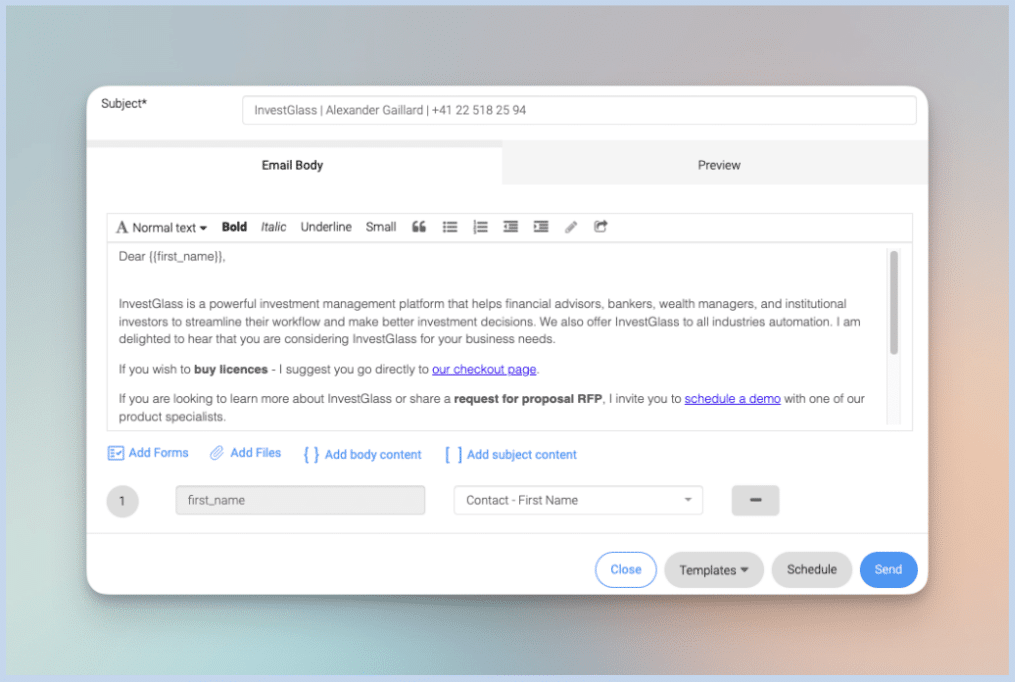
The service is ad-free and places a strong emphasis on privacy. It provides a comprehensive control panel for managing users and settings, making it scalable as your business grows. While the interface can be complex, it offers a high degree of customisation and powerful features, such as advanced email filtering, templates, and automation rules. For those looking to combine their email with a powerful CRM, the integration between Zoho Mail and InvestGlass offers a streamlined solution for managing client relationships and automating marketing workflows.
प्रमुख विशेषताऐं:
•Custom Domain: Use your own domain name with the free plan (up to 5 users).
•Ad-Free: A clean, professional, and ad-free user experience.
•Productivity Suite: Integrates with the extensive Zoho ecosystem of business apps.
•Security: Offers 2FA, encryption at rest, and robust spam protection.
| पेशेवरों | दोष |
| Allows custom domains on the free plan | The interface can be complex and overwhelming |
| Ad-free and privacy-oriented | Free plan storage is limited to 5 GB per user |
| Excellent for small business users | Mobile apps are less polished than competitors |
6. Yahoo Mail: The Storage Giant
One of the original pioneers of free webmail, Yahoo Mail remains a strong contender, primarily due to its incredibly generous storage offering. With 1 TB of free storage, it dwarfs the competition, making it an excellent choice for users who send and receive large attachments or simply never want to delete an email again.
Yahoo Mail has a modern, customisable interface with features like
Views, which allow you to quickly filter your inbox for photos, documents, and receipts. However, its history of security breaches and the presence of ads in the inbox are significant drawbacks for privacy-conscious users.
प्रमुख विशेषताऐं:
•Storage: A massive 1 TB of free storage.
•Customisation: Themes and layouts to personalise your inbox.
•Disposable Email Addresses: Create temporary aliases to protect your primary address.
| पेशेवरों | दोष |
| Unmatched 1 TB of free storage | History of significant security breaches |
| Highly customisable interface | Displays advertisements in the inbox |
| Good for managing large attachments | Spam filtering can be inconsistent |
Comparison of Top Free Email Providers for 2026
To help you make a quick decision, here is a summary table comparing the key features of the top free email providers.
| Provider | Storage (Free) | Max Attachment | मुख्य विशेषता | के लिए सर्वश्रेष्ठ |
| Gmail | 15 GB (shared) | 25 MB | Google Ecosystem Integration | Overall Use |
| Outlook.com | 15 GB | 20 MB | Focused Inbox & Office Integration | Microsoft Users & Productivity |
| प्रोटॉन मेल | 1 GB | 25 MB | एंड-टू-एंड एन्क्रिप्शन | Security & Privacy |
| Tuta | 1 GB | 25 MB | Fully Encrypted & Ad-Free | Ad-Free Privacy |
| Zoho Mail | 5 GB | 25 MB | Custom Domain Support | Small Businesses |
| Yahoo Mail | 1 TB | 25 MB | Massive Storage Capacity | Storing Large Files |
| iCloud Mail | 5 GB (shared) | 20 MB (5 GB via Mail Drop) | Seamless Apple Ecosystem Integration | Apple Users |
| मेलफेंस | 500 MB | 25 MB | Digital Signatures & Encryption | Verifiable Communication |
How to Choose the Right Free Email Provider
With so many options available, selecting the right provider depends on your individual needs. Consider the following factors to guide your decision:
1.Security and Privacy: If you handle sensitive information or are concerned about surveillance, prioritise providers with end-to-end encryption like Proton Mail or Tuta. Check their privacy policies to understand how your data is used. For business, ensuring data sovereignty and security is paramount.
2.Storage Space: If you frequently send and receive large files or prefer to archive all your emails, a provider with generous storage like Yahoo Mail (1 TB) or Gmail (15 GB) is essential. Remember to check if the storage is shared with other services.
3.Ecosystem Integration: If you are heavily invested in a particular ecosystem, choosing the provider from that ecosystem will offer the most seamless experience. Gmail is perfect for Google users, Outlook for Microsoft users, and iCloud Mail for Apple users.
4.Business Features: For professional use, features like custom domain support are crucial. Zoho Mail is the clear winner here, offering custom domains on its free plan. This allows you to build a professional brand identity without any initial investment.
5.User Interface and Ease of Use: The best email service is one you enjoy using. Test a few options to see which interface you find most intuitive. A clean, organised inbox can significantly boost your productivity.
Supercharge Your Email with InvestGlass CRM
While a powerful email account is a great start, its true potential is unlocked when integrated with a Customer Relationship Management (CRM) system. For professionals and businesses looking to turn their inbox into a growth engine, InvestGlass offers a seamless solution.
InvestGlass is a Swiss-based platform that combines a powerful CRM with marketing automation and client onboarding tools. By connecting your email to InvestGlass, you can:
•Automate ईमेल मार्केटिंग: Move beyond simple email sending. With InvestGlass, you can create targeted email lists, automate campaigns, and track performance with detailed analytics. This transforms your email from a simple communication tool into a sophisticated marketing automation software.
•Streamline Client Onboarding: The journey from a prospective client to a loyal customer can be automated. InvestGlass helps you manage the entire digital onboarding process, ensuring a smooth and professional experience for your clients.
•Enhance Client Relationships: A CRM provides a 360-degree view of your clients. Every email, interaction, and note is stored in one place, allowing you to personalise your communication and build stronger, more profitable relationships. The InvestGlass CRM is an essential tool for any startup looking to scale.
By leveraging the power of a CRM like InvestGlass, you can ensure that no opportunity is missed and every client interaction is meaningful. It is the logical next step for anyone serious about using email for business growth.
Additional Noteworthy Free Email Providers
While the providers above cover the most common use cases, several other services deserve mention for their unique offerings.
7. iCloud Mail: The Apple Ecosystem Companion
For users deeply embedded in the Apple ecosystem, iCloud Mail offers a seamless and integrated email experience. It synchronises effortlessly across all Apple devices, including iPhone, iPad, and Mac, ensuring your inbox is always up to date. The service provides 5 GB of free storage, shared across iCloud services, and features a clean, minimalist interface that Apple users will find familiar.
A standout feature is Mail Drop, which allows you to send attachments up to 5 GB in size by uploading them to iCloud and sharing a link. This is particularly useful for sharing large files without clogging your recipient’s inbox. iCloud Mail also offers dedicated customer support, a rarity among free email providers. However, its limited compatibility with non-Apple devices and lack of advanced features make it less suitable for users outside the Apple world.
प्रमुख विशेषताऐं:
•Apple Integration: Seamless synchronisation across all Apple devices.
•Mail Drop: Send large attachments up to 5 GB via iCloud links.
•Customer Support: Access to Apple’s phone and chat support.
•Privacy: Apple’s commitment to user privacy means no ad tracking.
| पेशेवरों | दोष |
| Excellent for Apple device users | Storage is shared with other iCloud services |
| Clean, intuitive interface | Limited features for non-Apple users |
| Strong privacy and no advertising | No POP3 support |
8. Mailfence: The Champion of Communication Integrity
Mailfence is a Belgian email provider that distinguishes itself through its focus on secure communication and digital signatures. It offers end-to-end encryption based on OpenPGP, allowing users to sign and encrypt their emails. This is particularly valuable for professionals who need to verify the authenticity of their communications.
The free plan provides 500 MB of email storage and an additional 500 MB for documents, which is modest but sufficient for light users. Mailfence also includes an integrated calendar, contacts, and document storage. Its commitment to privacy is backed by Belgian law, which offers strong protections against surveillance. For users who need to ensure that their emails are not only private but also verifiable, Mailfence is an excellent choice.
प्रमुख विशेषताऐं:
•Digital Signatures: Sign your emails to prove their authenticity.
•OpenPGP Encryption: Industry-standard end-to-end encryption.
•Integrated Suite: Includes calendar, contacts, and document storage.
•Belgian Jurisdiction: Protected by strong European privacy laws.
| पेशेवरों | दोष |
| Unique digital signature feature | Very limited storage on the free plan (500 MB) |
| Strong encryption and privacy | Interface is less modern than competitors |
| Integrated productivity tools | Some features require a paid subscription |
9. AOL Mail: The Veteran with Generous Storage
AOL Mail, one of the earliest webmail services, continues to serve millions of users with a simple and reliable platform. Its most compelling feature is its massive 1 TB of free storage, matching Yahoo Mail and far exceeding most competitors. This makes it ideal for users who need to archive large volumes of email.
The interface is straightforward and easy to navigate, though it lacks the advanced features and modern design of newer services. AOL Mail provides basic spam filtering and security features, but it does not offer end-to-end encryption. For users seeking a simple, no-frills email experience with ample storage, AOL Mail remains a viable option.
प्रमुख विशेषताऐं:
•Storage: 1 TB of free storage.
•Simplicity: A straightforward, easy-to-use interface.
•Spam Filtering: Basic protection against unwanted emails.
| पेशेवरों | दोष |
| Massive 1 TB of free storage | Dated interface and limited features |
| Simple and easy to use | No advanced security features like encryption |
| Reliable for basic email needs | Displays advertisements |
10. Mail.com: The Domain Variety Specialist
Mail.com offers a unique proposition: the ability to choose from over 200 domain names for your email address. Instead of a generic @gmail.com or @outlook.com, you can select a domain that reflects your profession or interests, such as @engineer.com, @consultant.com, or @musician.org. This allows for a degree of personalisation not found elsewhere.
The service provides 65 GB of free storage and supports attachments up to 30 MB, the largest among the providers reviewed. However, its spam filtering is less effective than competitors, and the free version is supported by ads. For users who value a unique email address and generous storage, Mail.com is worth considering.
प्रमुख विशेषताऐं:
•Domain Variety: Choose from over 200 domain names.
•Large Attachments: Send attachments up to 30 MB.
•Storage: 65 GB of free storage.
| पेशेवरों | दोष |
| Wide selection of domain names | Weak spam filtering |
| Largest attachment size (30 MB) | Supported by advertisements |
| Generous 65 GB of storage | Security features are basic |
Understanding Email Security: What You Need to Know
When evaluating email providers, understanding the different layers of security is crucial. Not all security features are created equal, and knowing the difference can help you make a more informed choice.
Encryption Types Explained
Transport Layer Security (TLS): This is the baseline security offered by most email providers. TLS encrypts the connection between your device and the email server, protecting your emails while they are in transit. However, once the email reaches the server, it may be stored unencrypted, meaning the provider could potentially access it. Gmail, Outlook, and Yahoo Mail all use TLS.
End-to-End Encryption (E2EE): This is the gold standard for email security. With E2EE, your email is encrypted on your device before it is sent and can only be decrypted by the recipient. This means that no one, including the email provider, can read the content of your messages. Proton Mail and Tuta offer E2EE by default for messages between their users.
Zero-Access Encryption: This feature ensures that even the emails stored on the provider’s servers are encrypted in a way that the provider cannot access them. Proton Mail uses zero-access encryption, meaning your stored emails are protected even if the server is compromised.
दो-कारक प्रमाणीकरण (2FA)
Two-factor authentication adds an extra layer of security to your account by requiring a second form of verification in addition to your password. This could be a code sent to your phone, a hardware security key, or a biometric scan. All reputable email providers now offer 2FA, and it is strongly recommended that you enable it to protect your account from unauthorised access.
The Importance of Jurisdiction
Where an email provider is based determines which country’s laws govern your data. Providers based in the United States are subject to laws like the PATRIOT Act, which can compel them to hand over user data to government agencies. In contrast, providers based in Switzerland (Proton Mail) or Germany (Tuta) benefit from stronger privacy protections. For users concerned about government surveillance, choosing a provider in a privacy-friendly jurisdiction is essential.
Maximising Productivity: Integrating Email with Business Tools
A free email account is a powerful tool on its own, but its true potential is realised when integrated with other business applications. For professionals and businesses, connecting your email to a CRM system can transform your inbox from a simple communication channel into a strategic asset.
The Power of CRM Integration
A Customer Relationship Management (CRM) system centralises all your customer interactions, including emails, calls, and meetings, in one place. This provides a complete view of each customer, enabling you to personalise your communication and build stronger relationships. When your email is integrated with a CRM, every email you send and receive is automatically logged, saving you time and ensuring no interaction is lost.
InvestGlass, a Swiss-based CRM platform, offers a powerful email integration that is particularly well-suited for financial services, insurance, and other regulated industries. By connecting your email to InvestGlass, you can:
•Track Client Communication: Every email is automatically linked to the relevant client record, providing a complete history of your interactions.
•Automate Follow-Ups: Set up automated email sequences to nurture leads and stay in touch with clients without manual effort.
•Segment Your Audience: Use CRM data to create targeted email lists and send personalised messages that resonate with each segment.
•Analyse Performance: Track open rates, click-through rates, and conversions to measure the effectiveness of your email campaigns.
For businesses looking to scale their operations, the combination of a reliable free email provider and a powerful CRM like InvestGlass is a winning formula. It allows you to maintain professional communication while leveraging data to drive growth.
Email Marketing Automation
Beyond simple communication, email is a cornerstone of digital marketing. Email marketing automation allows you to send targeted messages to your audience at the right time, without manual intervention. This can include welcome emails for new subscribers, promotional campaigns, and re-engagement sequences for inactive customers.
InvestGlass provides robust email marketing automation capabilities, allowing you to design, schedule, and track email campaigns directly from the CRM. This integration ensures that your marketing efforts are aligned with your sales activities, creating a cohesive customer experience.
Best Practices for Managing Your Free Email Account
Regardless of which provider you choose, following best practices can help you maintain a secure, organised, and productive inbox.
Keep Your Inbox Organised
An overflowing inbox can be a source of stress and missed opportunities. Use folders, labels, and filters to categorise your emails and keep your inbox manageable. Most providers offer automated rules that can sort incoming emails based on sender, subject, or keywords.
Regularly Review Security Settings
Take the time to review your account’s security settings periodically. Ensure that 2FA is enabled, check for any unrecognised login activity, and update your password regularly. Many providers also offer a security checkup feature that can identify potential vulnerabilities.
Be Wary of Phishing Attacks
Phishing emails are designed to trick you into revealing sensitive information, such as passwords or credit card numbers. Be cautious of emails from unknown senders, especially those that create a sense of urgency or ask you to click on a link. When in doubt, navigate directly to the website in question rather than clicking on a link in an email.
Unsubscribe from Unwanted Newsletters
Over time, your inbox can become cluttered with newsletters and promotional emails you no longer read. Take the time to unsubscribe from these lists to reduce clutter and improve your inbox’s signal-to-noise ratio. Many providers now offer one-click unsubscribe options to make this process easier.
Consider a Separate Email for Sensitive Activities
For activities that require a higher level of security, such as online banking or managing sensitive business communications, consider using a dedicated email account with a privacy-focused provider like Proton Mail. This can help compartmentalise your digital life and reduce the risk of a security breach affecting all your accounts.
अक्सर पूछे जाने वाले प्रश्न (FAQs)
1. Which free email service offers the most storage in 2026?
Yahoo Mail is the leader in storage, offering a massive 1 TB for free. This is followed by Gmail and Outlook, which both provide 15 GB, although Gmail’s storage is shared with other Google services.
2. What is the most secure free email provider?
Proton Mail is widely regarded as the most secure free email provider due to its end-to-end encryption, zero-access architecture, and Swiss privacy laws. Tuta is another excellent choice for security-conscious users.
3. Can I use a custom domain with a free email account?
Yes, Zoho Mail allows you to use your own custom domain on its free plan for up to five users, making it the best choice for small businesses looking for a professional email address at no cost.
4. Are free email services really free?
Services like Gmail and Yahoo Mail are free because they are supported by advertising, which often involves scanning your emails for data to target ads. Privacy-focused services like Proton Mail and Tuta are funded by paid users, so their free plans are more limited but do not rely on advertising.
5. What is end-to-end encryption and why is it important?
End-to-end encryption ensures that a message is encrypted on the sender’s device and can only be decrypted by the recipient. This means that no third party, including the email provider, can read the content of the message, providing the highest level of privacy.
6. Can I switch email providers without losing my old emails?
Yes, most email providers offer tools to import your emails, contacts, and calendar from your old account. This process is usually straightforward and allows for a smooth transition.
7. What are the main disadvantages of using a free email service for business?
The main disadvantages are often the lack of a custom domain (which can appear unprofessional), limited storage and features, and the presence of ads. For business use, a service like Zoho Mail or a paid plan from a major provider is recommended.
8. How does an email provider’s location affect my privacy?
The provider’s location determines which country’s laws govern your data. Providers based in countries with strong privacy laws, like Switzerland (Proton Mail) or Germany (Tuta), offer greater protection against government surveillance than those based in the United States.
9. What is the difference between IMAP and POP3?
IMAP (Internet Message Access Protocol) syncs your emails across all your devices. When you read or delete an email on your phone, it will also be marked as read or deleted on your computer. POP3 (Post Office Protocol 3) downloads emails to a single device and then typically deletes them from the server, making it less suitable for users with multiple devices.
10. How can I improve my email security?
Beyond choosing a secure provider, always use a strong, unique password and enable two-factor authentication (2FA). Be cautious of phishing emails, avoid clicking on suspicious links, and regularly review your account’s security settings.
This article was researched and written by Alexander Sterling, a Digital Privacy and Productivity Analyst with over a decade of experience covering cybersecurity and business software. He is dedicated to helping individuals and businesses navigate the complexities of the digital world.